


Two data sources. One grid of yin-yang glyphs. Both halves at a glance.
A geom_tile() heatmap gives you one number per cell.
geom_taichi() gives you two.
install.packages("ggtaichi")

# development version
devtools::install_github("PursuitOfDataScience/ggtaichi")Yin takes one source, yang the other. No decoration: every drop of ink is data.
library(ggtaichi)
library(ggplot2)

one <- data.frame(x = 1, y = 1, google = 7, twitter = 3)

ggplot(one, aes(x, y)) +
  geom_taichi(yin = twitter, yang = google) +
  coord_fixed() +
  theme_taichi()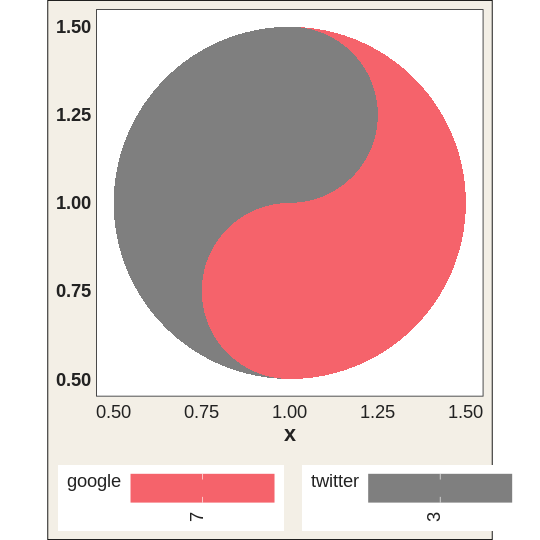
pitts_small <- subset(pitts_tg, week <= 6)

ggplot(pitts_small, aes(week, category)) +
  geom_taichi(yin = Twitter, yang = Google) +
  theme_taichi()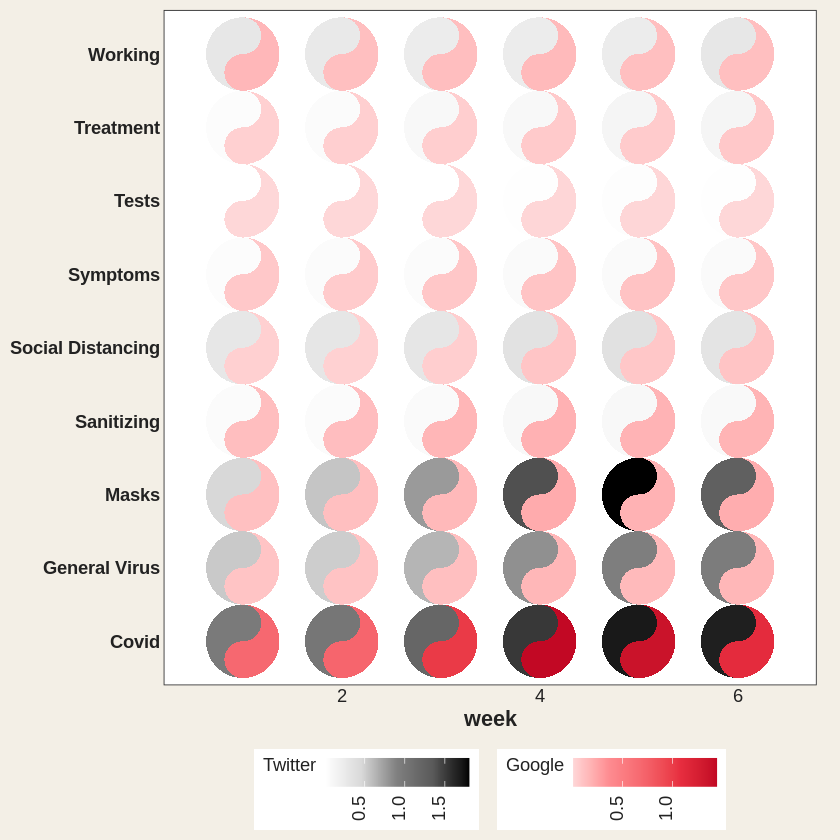
Covid runs dark in both halves, heavy on Twitter and
Google alike. Masks darkens on Twitter but stays pale pink:
little Google.
Six dimensions in one mark: x, y, two
fills, two eyes.
quad <- data.frame(x = c(1, 2, 1, 2), y = c(2, 2, 1, 1),
                   yin = c(3, 5, 7, 9), yang = c(9, 7, 5, 3),
                   reach = c(10, 40, 25, 5), quality = c(2, 1, 4, 8))

ggplot(quad, aes(x, y)) +
  geom_taichi(yin = yin, yang = yang, eyes = TRUE,
              yin_eye_size = reach, yang_eye_size = quality,
              limits = c(0, 10)) +
  coord_fixed() +
  theme_taichi()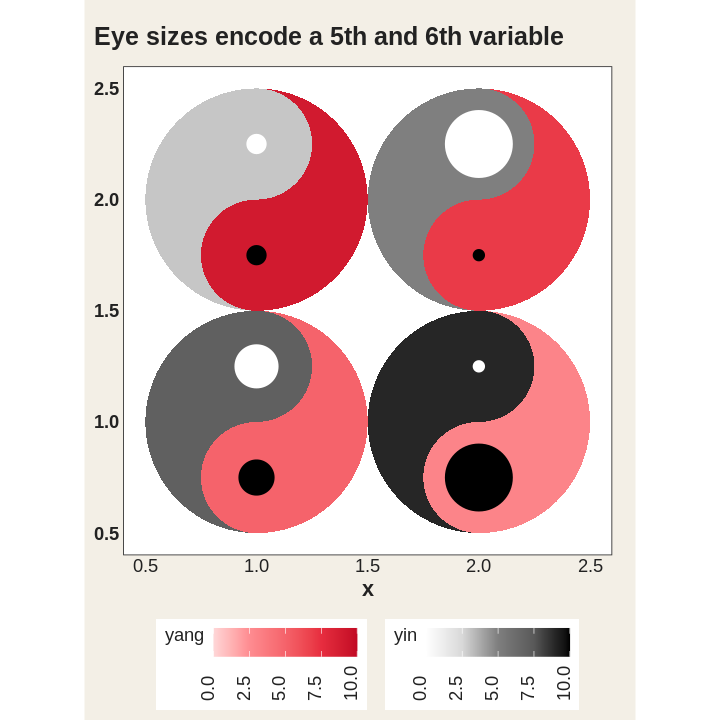
angle takes a constant or a column: a seventh
channel.
rot <- data.frame(x = 1:4, y = 1, yin = 1:4, yang = 4:1,
                  turn = c(0, 45, 90, 135))

ggplot(rot, aes(x, y)) +
  geom_taichi(yin = yin, yang = yang, angle = turn, eyes = TRUE,
              limits = c(0, 5)) +
  coord_fixed() +
  theme_taichi()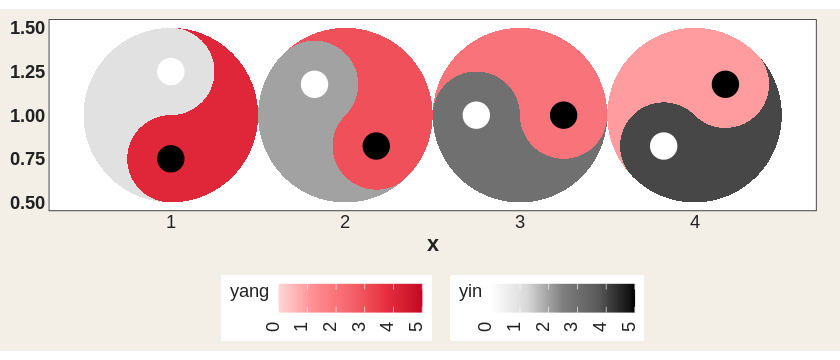
Hand angle to gganimate and it actually spins.
library(gganimate)

spin <- expand.grid(x = 1:4, f = 1:48)
spin$y <- 1
spin$turn <- (spin$f - 1) * 7.5 + (spin$x - 1) * 45   # each one out of phase

ggplot(spin, aes(x, y)) +
  geom_taichi(yin = 1, yang = 2, angle = turn, eyes = TRUE,
              yin_colors = "grey15", yang_colors = "#C20824",
              show.legend = FALSE) +
  coord_fixed() +
  theme_void() +
  transition_states(f, transition_length = 1, state_length = 0)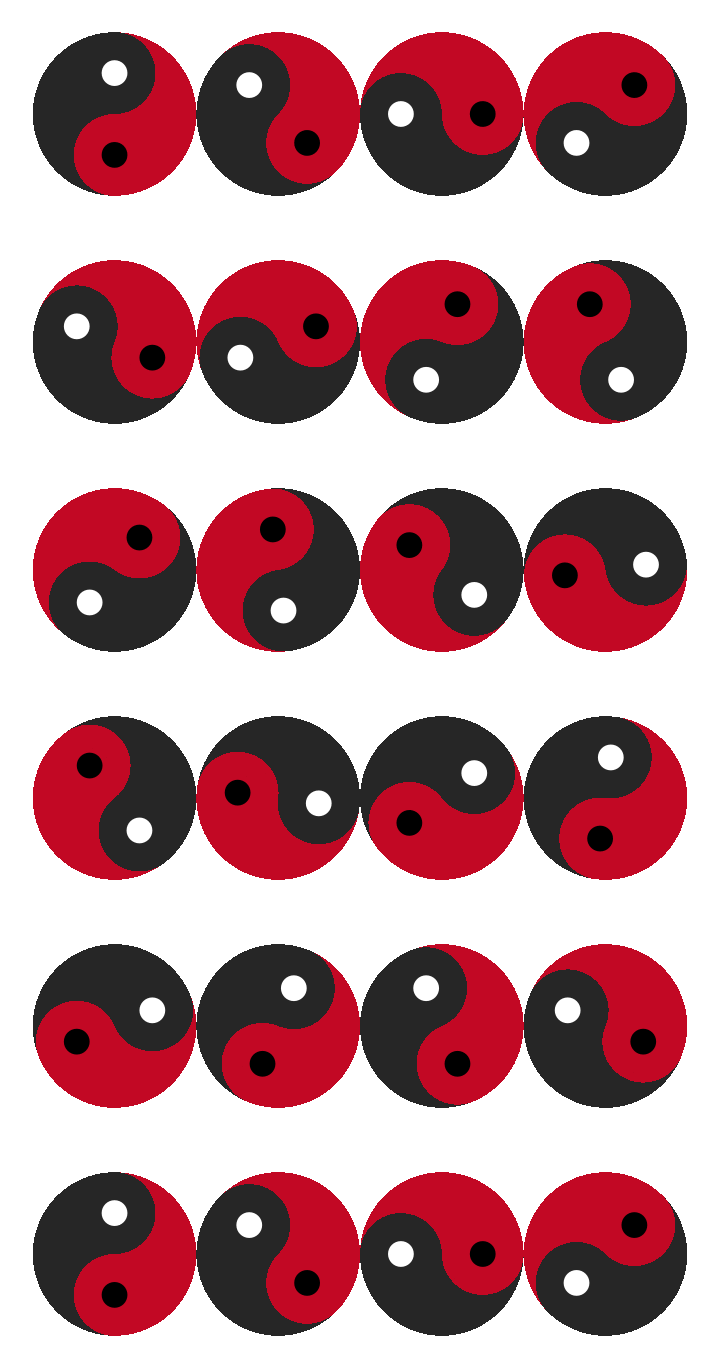
cafes_tg follows espresso and matcha across twelve
weeks. Espresso cools off, matcha warms up.
ggplot(cafes_tg, aes(neighbourhood, "")) +
  geom_taichi(yin = matcha, yang = espresso, shared_legend = TRUE,
              yin_name = "orders / 100 customers") +
  theme_taichi() +
  theme(axis.text.x = element_text(angle = 30, hjust = 1, size = 9)) +
  labs(title = "Week {closest_state}", x = NULL) +
  transition_states(week, transition_length = 2, state_length = 1)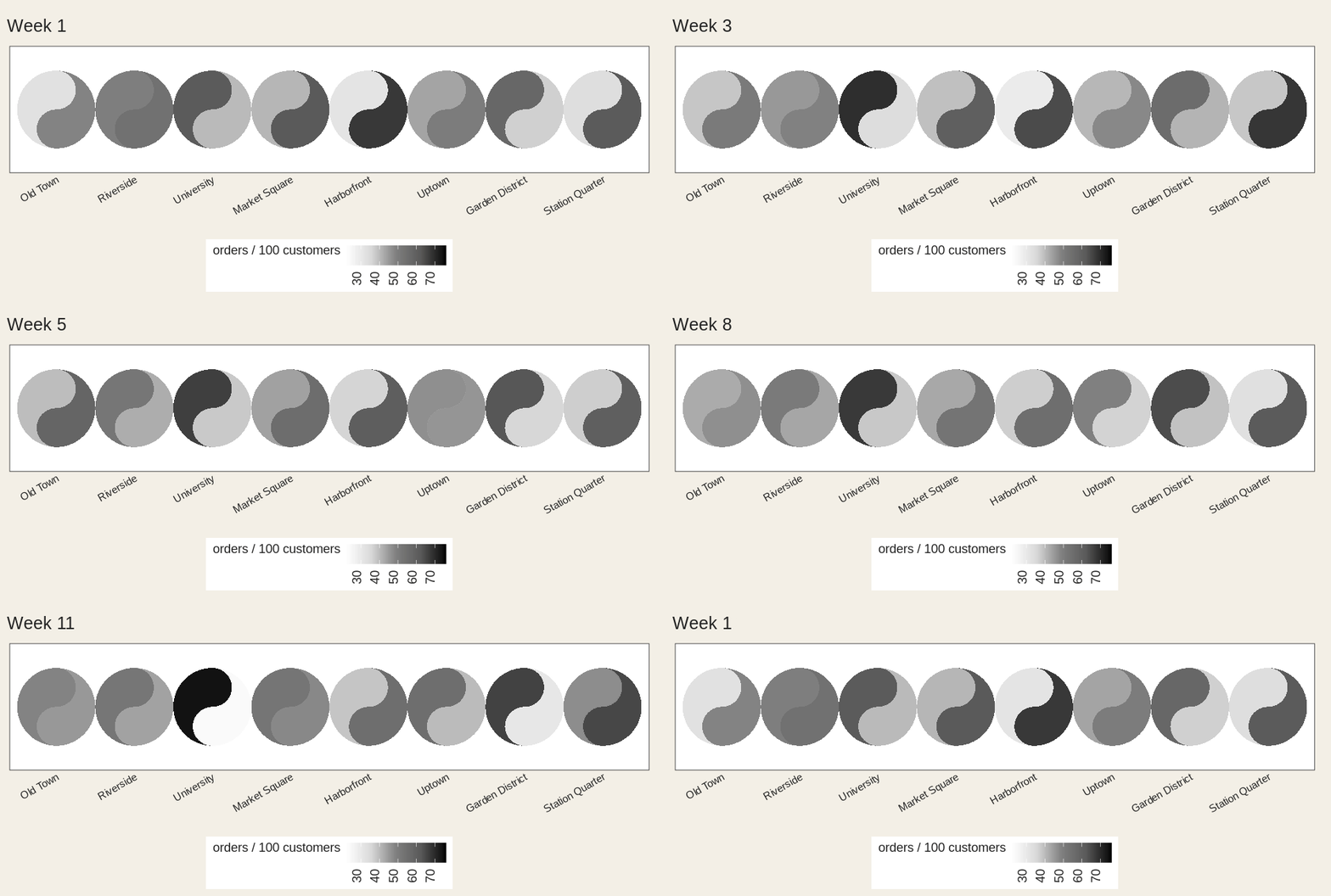
disc <- data.frame(x = c(1, 2, 1, 2), y = c(2, 2, 1, 1),
                   method = factor(c("A", "B", "C", "A")),
                   outcome = factor(c("win", "loss", "win", "loss")))

ggplot(disc, aes(x, y)) +
  geom_taichi(yin = method, yang = outcome) +
  coord_fixed() +
  theme_taichi()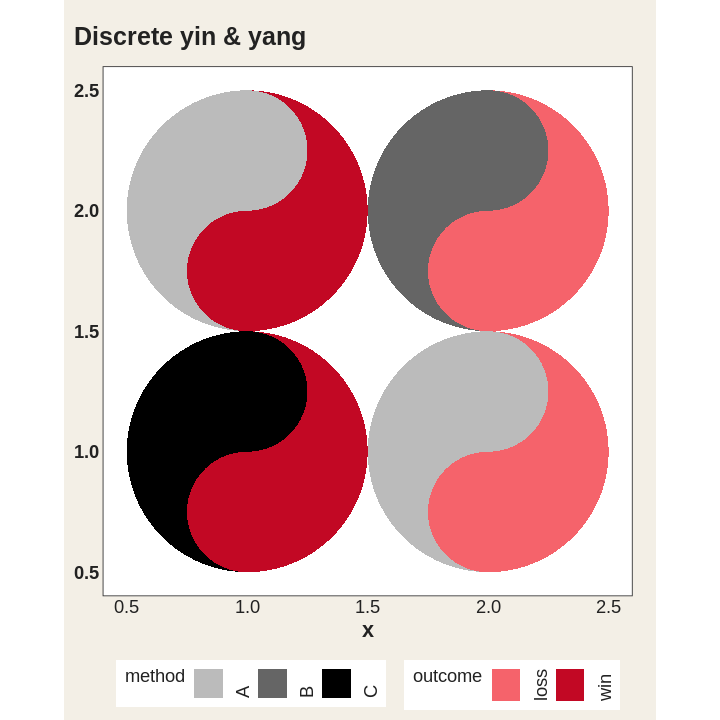
The legend keys are little taichi as well.
ggplot(cafes_tg, aes(week, neighbourhood)) +
  geom_taichi(yin = matcha, yang = espresso, shared_legend = TRUE,
              yin_name = "orders / 100 customers") +
  remove_padding() +
  theme_taichi()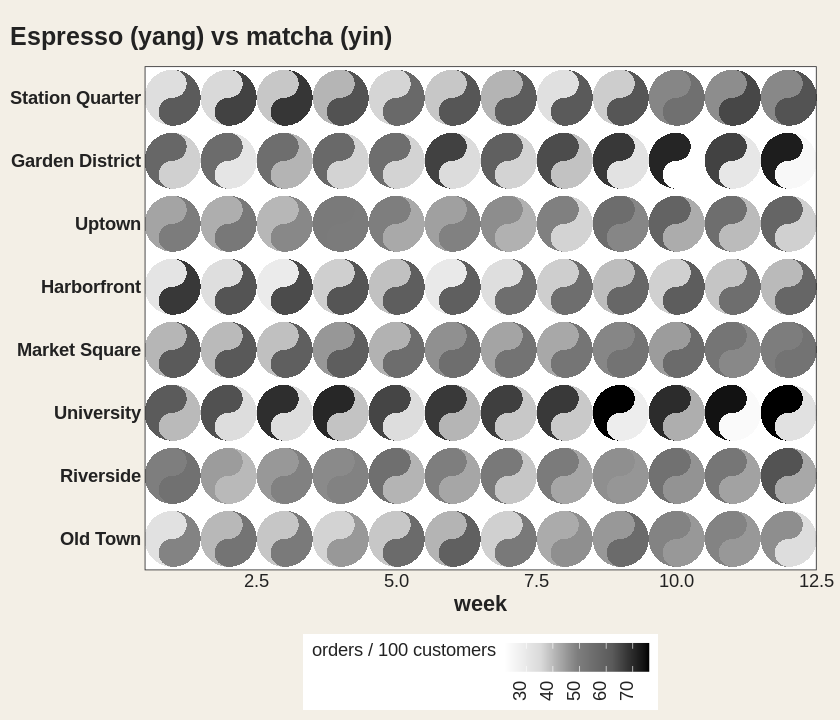
Two fish in one spot tell you which. explicit
computes the gap and shows you how much. Cells where the two
agree get no eye at all.
ggplot(cafes_tg, aes(week, neighbourhood)) +
  geom_taichi(yin = matcha, yang = espresso, shared_legend = TRUE,
              yin_name = "orders / 100 customers",
              explicit = "difference") +
  remove_padding() +
  theme_taichi()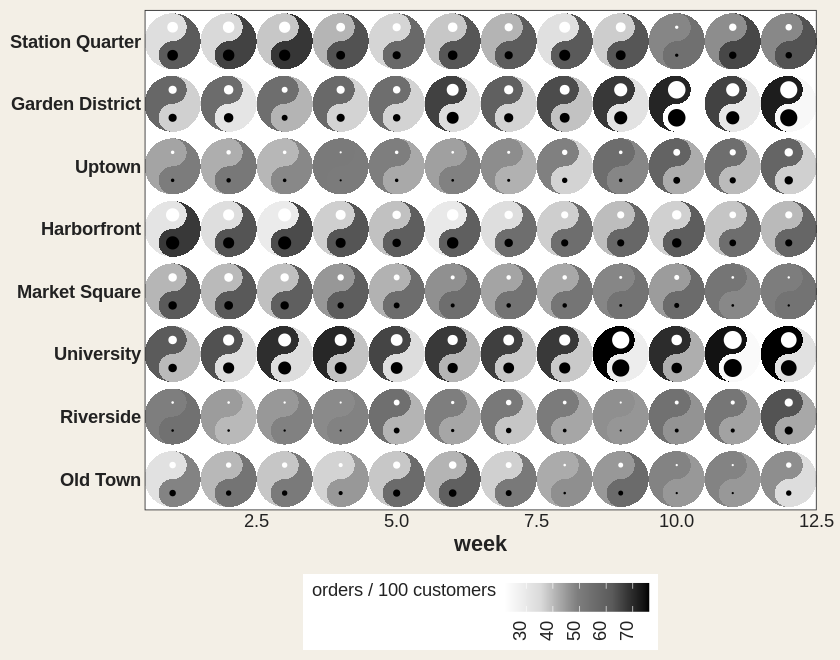
Or as tilt, which the eye reads far more precisely. Upright means they agree.
tilt <- data.frame(x = 1:5, y = 1, yin = c(1, 3, 5, 7, 9), yang = 9:5)

ggplot(tilt, aes(x, y)) +
  geom_taichi(yin = yin, yang = yang, shared_limits = TRUE,
              explicit = "difference", explicit_channel = "angle") +
  coord_fixed() +
  theme_taichi()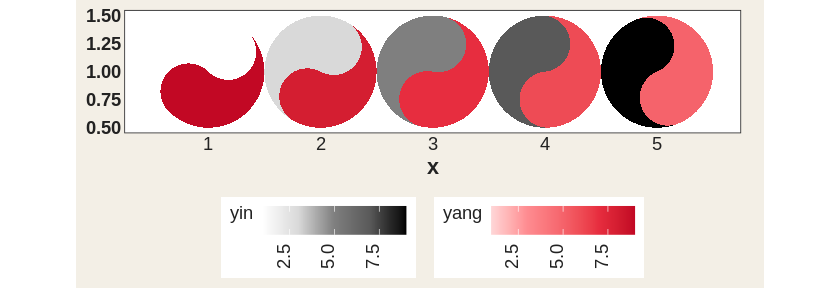
Animate it and the eyes blink shut exactly where the two sources cross.
ggplot(cafes_tg, aes(neighbourhood, "")) +
  geom_taichi(yin = matcha, yang = espresso, shared_legend = TRUE,
              yin_name = "orders / 100 customers",
              explicit = "difference") +
  theme_taichi() +
  theme(axis.text.x = element_text(angle = 30, hjust = 1, size = 9)) +
  labs(title = "Week {closest_state}", x = NULL) +
  transition_states(week, transition_length = 2, state_length = 1)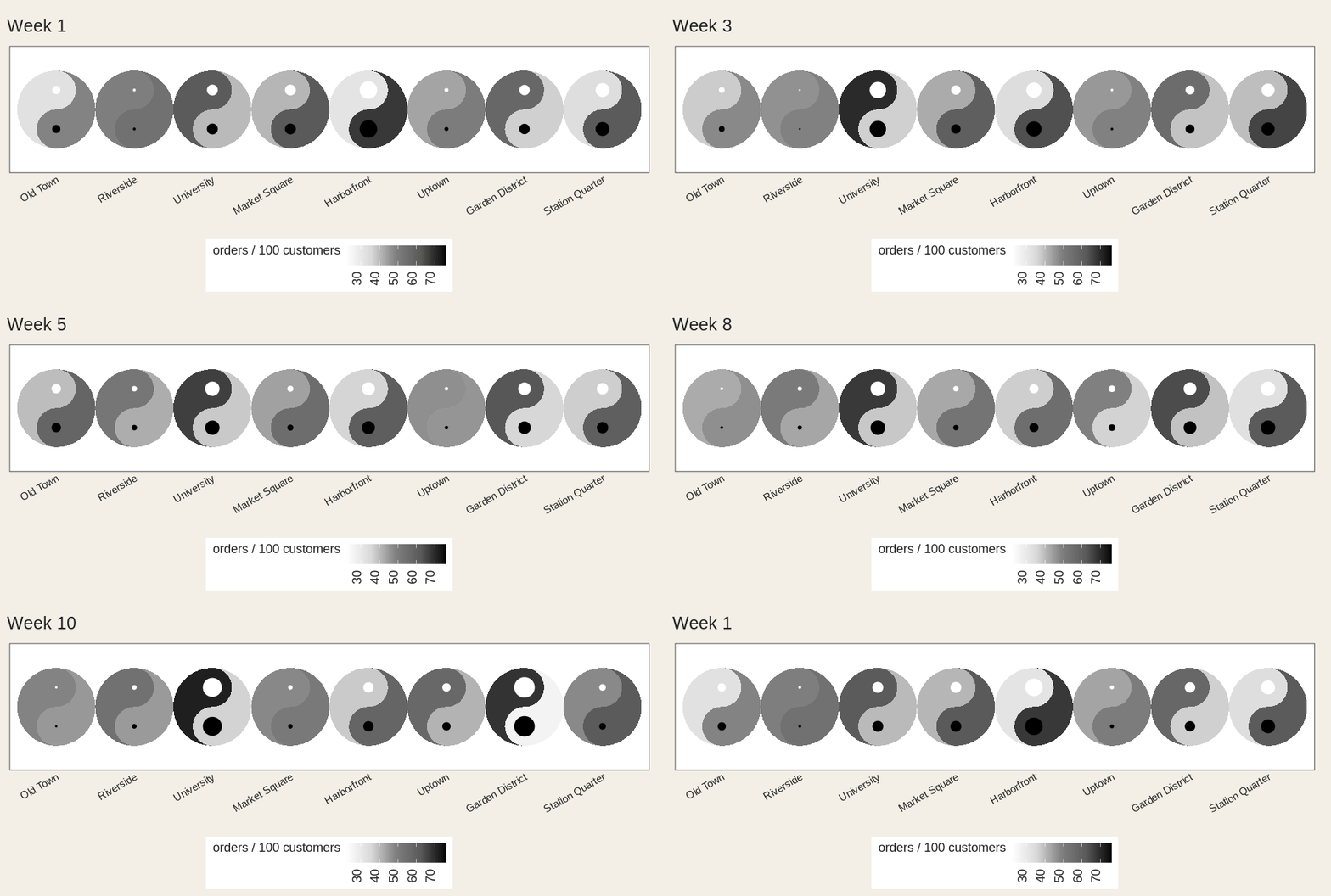
If the two ramps don’t span the same luminance, equal values don’t look equal and one fish quietly wins. Ask:
taichi_check_palette()
#>   largest luminance mismatch : 40.6 L* (tolerance 5.0)
#>   Verdict: FAIL
Yes: the defaults fail their own check, and are kept only so old
figures don’t move. palette = "balanced" passes.
ggplot(cafes_tg, aes(week, neighbourhood)) +
  geom_taichi(yin = matcha, yang = espresso,
              palette = "balanced", shared_limits = TRUE) +
  remove_padding() +
  theme_taichi()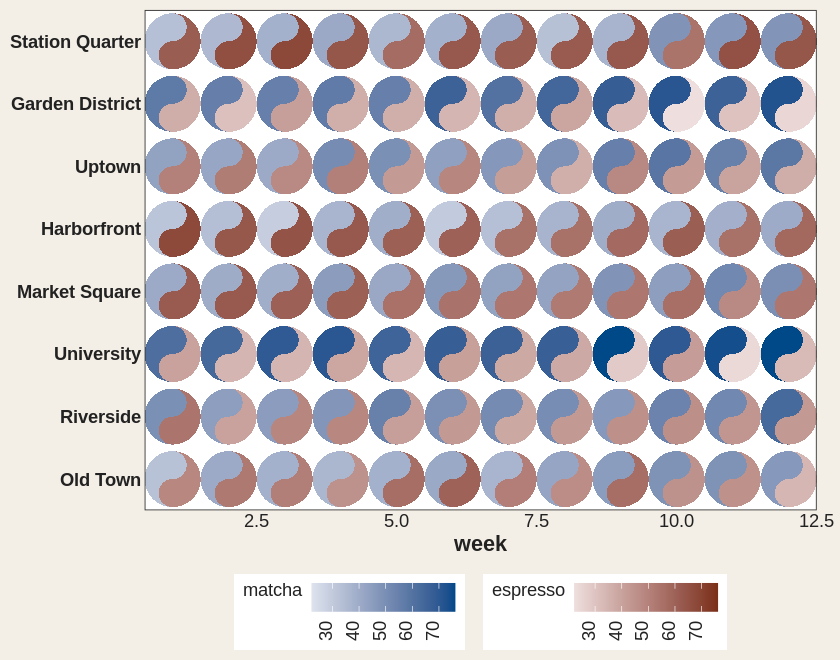
ggplot(cafes_tg, aes(week, neighbourhood)) +
  geom_taichi(yin = matcha, yang = espresso,
              yin_scale  = scale_taichi_yin_binned(n.breaks = 4),
              yang_scale = scale_taichi_yang_binned(n.breaks = 4),
              shared_limits = TRUE) +
  remove_padding() +
  theme_taichi()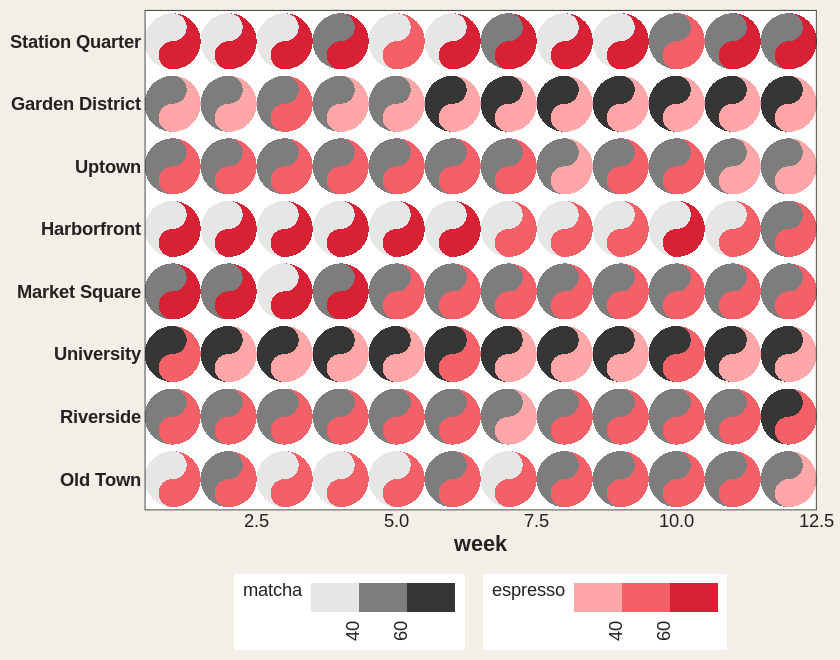
p <- ggplot(cafes_tg, aes(week, neighbourhood)) +
  geom_taichi(yin = matcha, yang = espresso,
              interactive = TRUE, data_id_by = "source")

ggiraph::girafe(ggobj = p)
Hover one yin fish and every yin fish lights up. Live version in the gallery.
vignette("ggtaichi") for the full tour,
vignette("animations") for motion, and the gallery
for the rest.
ggtaichi is a spinoff of the ggDoubleHeat
package, which introduced the idea of folding two data sources into a
single reformed heat map. ggtaichi takes that two-scale
design and re-imagines the per-cell glyph as a taichi diagram.